Face Blur App: Video & Mosaic

Face Blur App: Video & Mosaic

Blur Moving Faces in Seconds, Automatically

Share photos and videos safely with AI-powered blur that tracks moving faces. Everything happens on your phone – no cloud upload, no data sharing, just instant privacy protection.

50,000+

Privacy protection made simple and powerful

1

Auto Face Tracking

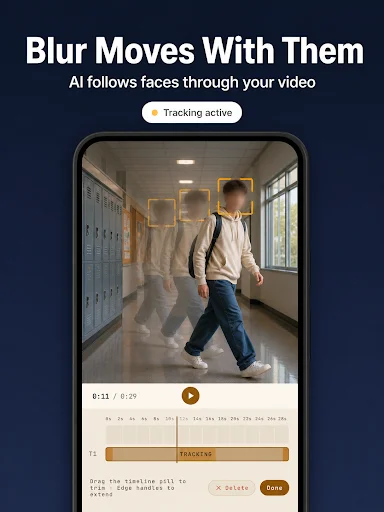
Draw once on a moving face and the blur follows it everywhere. No more frame-by-frame editing – BlurQ tracks faces automatically throughout your entire video, saving you hours of manual work.

2

100% Offline Processing

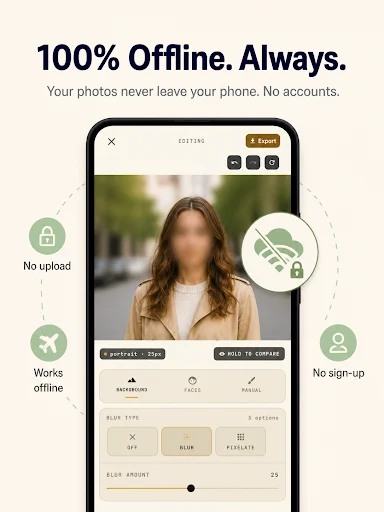
Your photos and videos never leave your device. No cloud upload, no account required, no data shared. Everything runs on your phone, so you keep complete control of your private content.

3

AI-Powered Detection

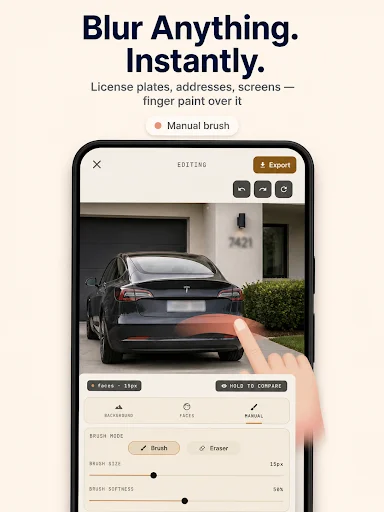
Blur every face in one tap with smart AI detection. No manual selection needed – just open your photo or video and let BlurQ find and blur faces instantly, or use manual tools for license plates and sensitive info.

4

Batch Blur Power

Process up to 20 photos at once with multiple blur styles including mosaic, pixelate, and censor bars. Export everything in HD quality with no watermark – perfect for content creators and busy parents.

Blur a face in any photo or video in seconds — and the blur even follows faces that move. BlurQ anonymizes your photos and videos with AI, 100% offline. Nothing ever leaves your phone.

Want to post a video or photo without exposing a face, a license plate, or private info? Blurring a moving face in a video is usually slow and painful. BlurQ does it for you, automatically and offline.

VIDEO BLUR WITH AUTO FACE TRACKING

  • Video blur — apply blur or mosaic to any video
  • Auto tracking — draw once on a moving face and the blur follows it everywhere it goes
  • Manual video blur — hide a fixed object or face just by drawing over it
  • Works on any clip from your gallery — the effect covers the whole video, not one frame
  • Perfect for hiding a face, plate or logo from the start to the end of a video

HOW IT WORKS

  1. Pick a photo or a video from your gallery.
  2. AI detects the faces, or draw the area to hide yourself.
  3. The blur follows moving faces, adjust the strength and export in HD.

PHOTO BLUR

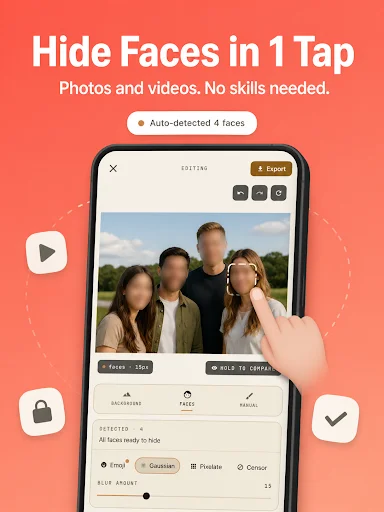
  • Automatic AI face detection — blur every face in one tap
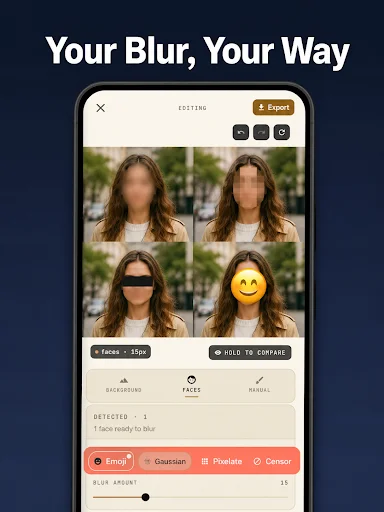
  • Three styles: gaussian blur, mosaic (pixelate) and a censor bar (face censor)
  • Eyes-only option — censor a gaze without covering the whole face
  • Manual brush blur — hide license plates, text, addresses and logos
  • Background blur for a pro portrait (bokeh) look
  • Batch blur — up to 20 photos at once
  • Export in HD, no quality loss and no watermark

WHO IS BLURQ FOR?

  • Social media — anonymize a photo or video before Instagram, TikTok, YouTube, Snapchat or Facebook
  • Vloggers and creators — blur passersby and non-consenting faces in your videos
  • Parents who want to protect their kids' faces online
  • Screenshots — hide names, phone numbers, addresses and chats
  • Listings and real estate — hide license plates, faces and personal objects
  • Group photos — hide the faces of people who didn't give their consent
  • Documents and paperwork — cover signatures, codes and bank details
  • Journalists and witnesses — protect sources and sensitive identities
  • Anyone who needs GDPR compliance and data privacy

WHY CHOOSE BLURQ?

  • Auto face tracking in video — rare and powerful: the effect never loses the face
  • 100% offline — your photos and videos never leave your device
  • AI face detection — no manual selection, a real time-saver
  • Batch processing up to 20 images — rare among blur and mosaic apps
  • One-time purchase, no subscription — no hidden weekly or monthly fees
  • Lightweight, fast and simple — even for beginners

PRIVACY FIRST

BlurQ is built on one simple idea: what's on your phone should stay on your phone. No cloud upload, no account to create, no data resold. Everything runs on-device, and your exports keep their original quality.

Whether you want to blur a face in a photo, track a moving face in a video, apply a mosaic, pixelate an area or censor information, BlurQ gives you a clean, professional result in seconds.

Download BlurQ and protect your privacy: photo and video blur, mosaic, pixelate and censor, all offline. Free to download, with an optional one-time purchase to remove ads — no subscription, ever.

Questions or suggestions? Email us at contact@7afidi.com

See BlurQ in action

Auto-detect four faces in group photo and apply multiple blur styles: pixelize, mosaic, gaussian, or pixelate effects
AI face tracking blur follows moving person through hallway video in real-time with motion detection technology
Manual brush tool blurs license plate on car photo instantly with customizable brush and eraser editing options
Four portrait variations display different blur styles: oval blur, pixelate, bar censoring, and emoji face blur
Offline privacy screen shows blurred portrait with icons for no upload, offline capability, and no sign-up required
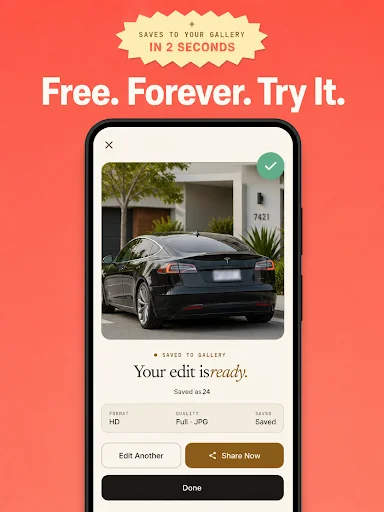
Completion screen displays blurred car photo saved to gallery in 2 seconds with HD format and share button option

Trusted by thousands protecting their privacy

wow amazing app , fast and free blur with no watermark

best free app for blurring so far

pretty cool app

works great

super

ماسط
Download BlurQ and protect your privacy today